How To Edit Gadget Title In Blogger
Last night I was trying out some of the new blogger fonts,
but ran into a bit of a problem. Because the titles of the gadgets on
my blog were in all caps, when I tried many of the new fonts, they
didn't look right. My all-cap, un-centered titles have been bugging me
for awhile, so I set out on a google search to see if I could figure out
how to fix the problem. I'm excited to say that I found solutions and
the good news is that they are simple fixes, hooray for simple!
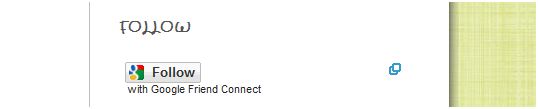 |
| Example of all-caps, off-centered gadget title in crafty girls font. |
How to Change a Gadget Title from all Caps to Sentence Form
This solution came from The Original Blogger Tips and Tricks. This is a VERY helpful blog. Read the complete directions here, and then if you need clarity, I put the directions into steps below.
1. In New Blogger, click on Design and then on Edit Html.
2. Save a copy of your blog template. (In case things don't go as planned.)
3. Hold down the Control key and then press down F. The find box will show up at the top of the screen.
4. In the find box type in: text-transform:lowercase; scroll down and find where it is highlighted in the html code.
5. When you find it, change the word lowercase to sentencecase. It will look like this: text-transform:sentencecase;
6.
Click on PREVIEW to view the change. If the title now has upper and
lower case letters and everything looks just how you want it, then close
out of the preview and click on SAVE TEMPLATE.
*If
this isn't working for you, you might want to check to make sure that
when you typed the titles for your gadgets you didn't type them in all
caps.

1. In New Blogger, click on Design and then on Template Designer.
2. Click on Advanced then scroll down to Add CSS.
3. Type in this code:
.sidebar .widget h2 {
text-align: center;
}
4. After you type it in, hit the space bar once so the changes can be pre-viewed below.
5. Look over the preview. If your gadget titles are centered, and everything looks right, then click on APPLY TO BLOG.

I'm
pretty sure I'll be tweaking the fonts here and there and may even
change the gadget titles back at some point, but now I at least have
options.
I hope these tips will help you some as you try out the new fonts that are available. Have fun!

No comments:
Post a Comment